WorkCase Study
Goodnotes AI: Designing the Agent Interaction Model
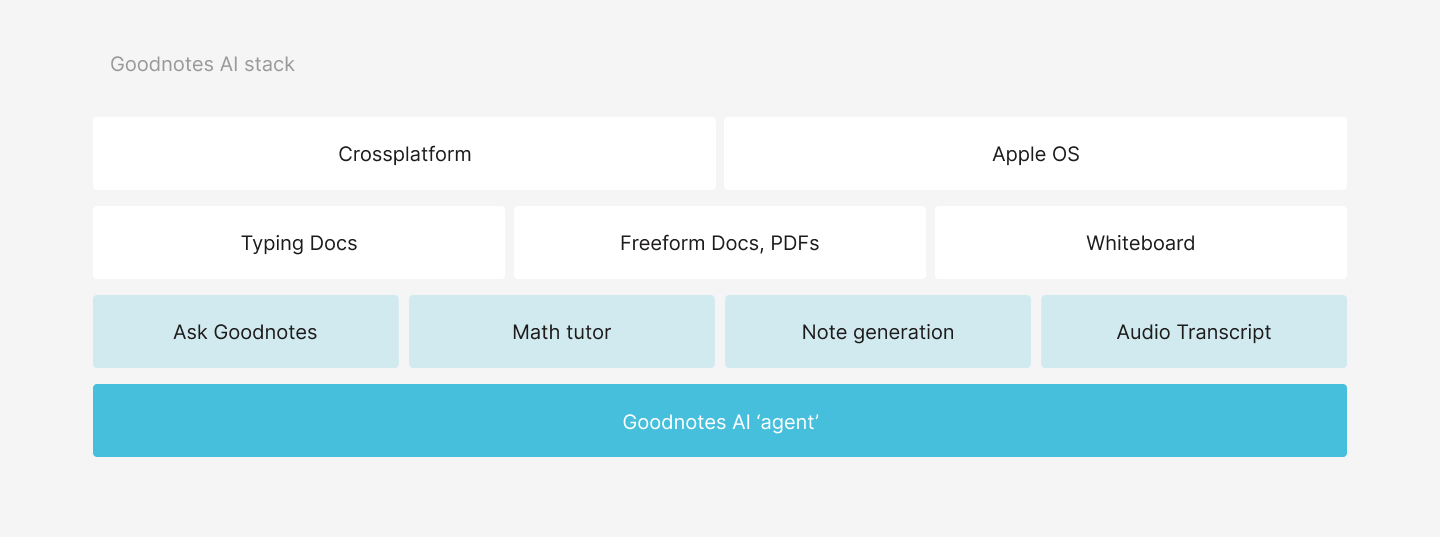
In early 2025, Goodnotes shifted strategy to become the go-to tool for knowledge workers: multimodal, cross-platform, and AI-first. I led design for the AI agentic experience, defining how Goodnotes would move from isolated AI features to a co-editing partner embedded inside the editor.
This was a critical business bet. Getting it right meant positioning Goodnotes ahead of competition and delivering real value to subscribers.
Role
- Staff Product Designer, AI Co-editing Team
- Defined the product and experience vision for Goodnotes AI.
- Shaped core decisions with product and engineering from concept to beta delivery.
Timeline
2025
Team
3 Designers, Head of Design.
Problem
Legacy AI features were fragmented and didn't reflect where the product was going.
Goodnotes had existing AI capabilities, including a chat interface called Ask Goodnotes, but they lived in silos. The new strategy demanded something coherent: a single agentic experience that could handle asking, editing, and generating content inside your notes, across platforms. The challenge was not just designing new features. It was defining the interaction model for agentic AI in a document editor for the first time.
Opportunity
With advances in AI models and Goodnotes' own document processing capabilities, the team was confident we could build an agent with real utility. The opportunity was to create something modular: an experience that adapts to what you are doing, respects the document view, and expands when you need it. Key bets included audio transcription and automated meeting notes for students and knowledge workers; graph and math generation inside notes; in-context follow-ups for reviewing and refining generated content; and new input modalities: typing, voice, and in-document selection.
Solution
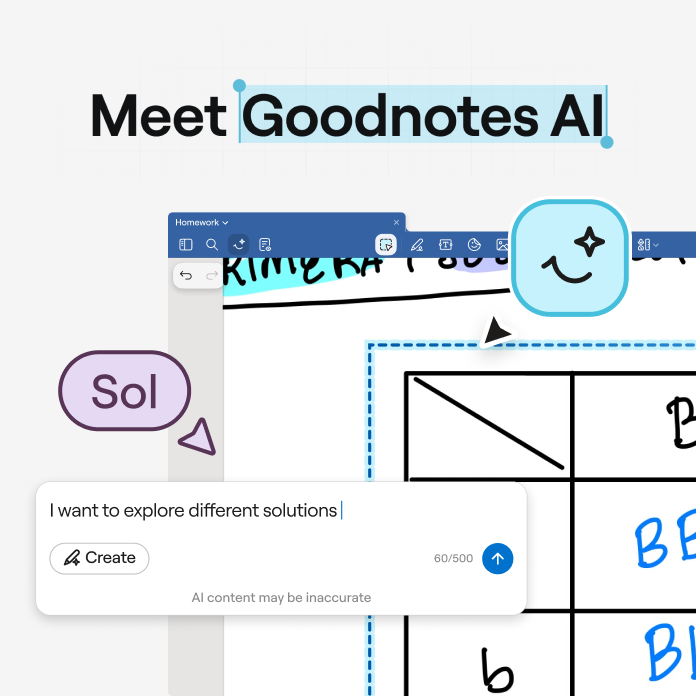
A modular agentic layer that lives over your document and expands on demand.
The agent sits over your notes and surfaces when you need it. It does not take over the screen. It generates new content on demand, with you as the ultimate reviewer and owner. The consolidation of the legacy chat interface and the new co-editing agent into one coherent interaction model was the hardest design problem. I brought in learnings from an earlier in-house experimental project to shape that direction.
Core flows
Multi-surface prompting
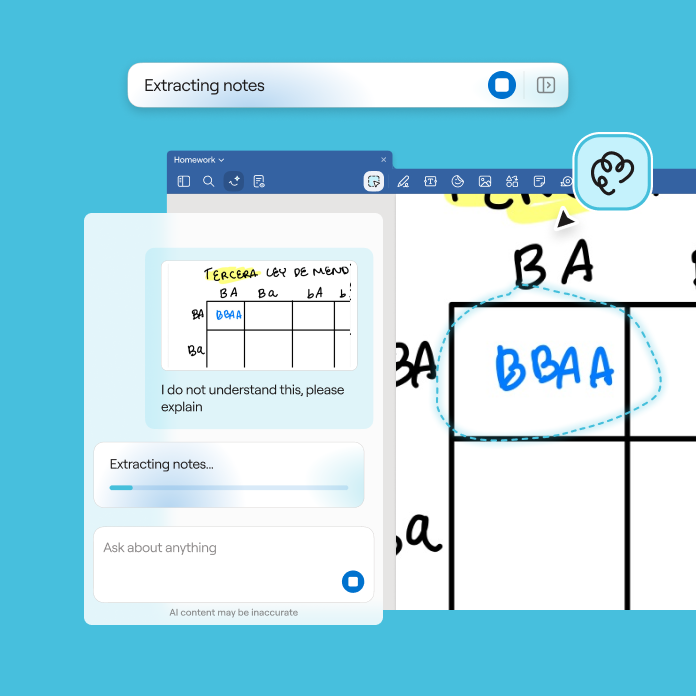
From the canvas, from the toolbar, and in conversation through the sidebar. The agent adapts to where you are and what you are doing, bringing everything into a single conversation thread.
Automated notes from audio
Real-time insights from your audio, automatically translated into summaries and action items. One of the most loved features in testing, with strong adoption on release.
Reviewing modifications
Edits and suggestions surface in-canvas so you can confirm changes one by one, with full context around them. Intentional and granular.
Reviewing generated content
We tried direct insertion first. Generated content appeared straight on the canvas, and it immediately felt wrong. Foreign content in your own notes, with no moment to review or reject it. That failure shaped the sandbox: a separate environment where you refine before anything touches your document. GenAI output opens in a separate environment before touching your notes. This keeps the canvas clean and reduces the feeling of foreign content being inserted into your work.
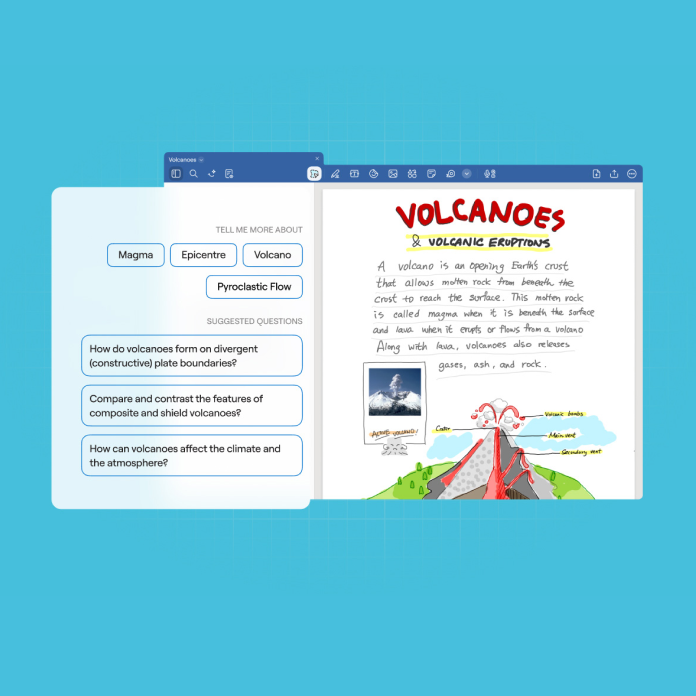
Quick actions and icebreakers
Entry points to lower the barrier to getting started and help new users understand what the agent can do.
Key User Insights
We validated through concept testing, extensive internal dog-fooding, a closed beta with selected external users, and a full rollout in September.
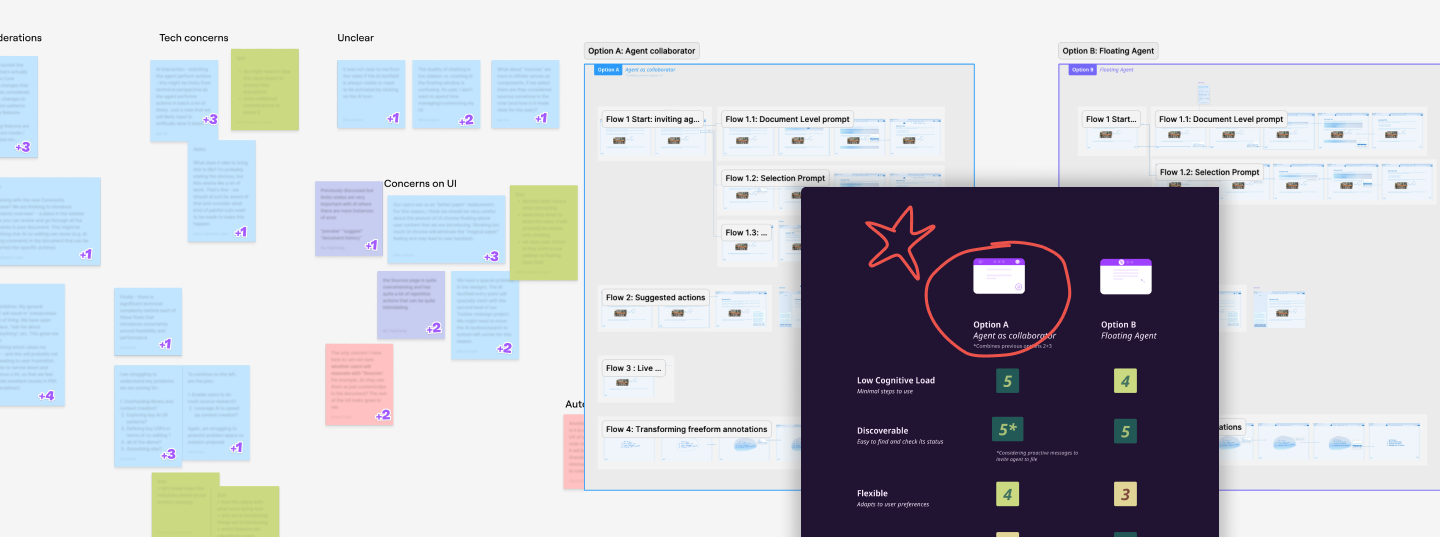
Agent as collaborator.
This framing tested as the most flexible and had the lowest cognitive load. We took some liberties to make the agent's language feel human, while keeping it useful rather than gimmicky.
Optimise for high confidence.
After extensive dog-fooding, we made the call to introduce an intent classifier. Latency was a real issue and hallucinations were hard to manage at scale. The solution: users explicitly select when they want to create, making the more generative and intrusive actions deliberate and intentional.
Manipulation and editing with intent.
Inserting content into the page required user input for optimal results. The workaround: let the user refine content in a separate environment first, then add it to the canvas for better quality and control.
Key Design Decisions
Prioritising canvas interactions.
We wanted a collaborative experience that is fast to start and meticulous as you refine. Edits and suggestions follow up on the canvas, so context is always present when reviewing.
Conversational but proactive.
We limited follow-ups and clarifications so users get a first result fast. Refinement comes after, not before. The goal was to reduce friction at the start of every interaction.
Key results
The AI pass tier launched in line with expectations, driven largely by automated notes from audio recording, which became the most-used paid feature across both the Pro plan and AI pass. The intent classifier we introduced during beta reduced task completion time by over 50% and meaningfully improved feedback sentiment. The interaction model shipped as the foundation for subsequent AI features across the product, including Math and Education. Looking back, the latency introduced by the intent classifier needed better UI communication from the start. Users adapted, but the wait state wasn't designed for, we addressed it post-launch. If I were to revisit it, I'd have treated that transition moment as a core interaction, not an edge case.
“I worked across strategy and execution throughout this launch. Happy to walk you through the details.”